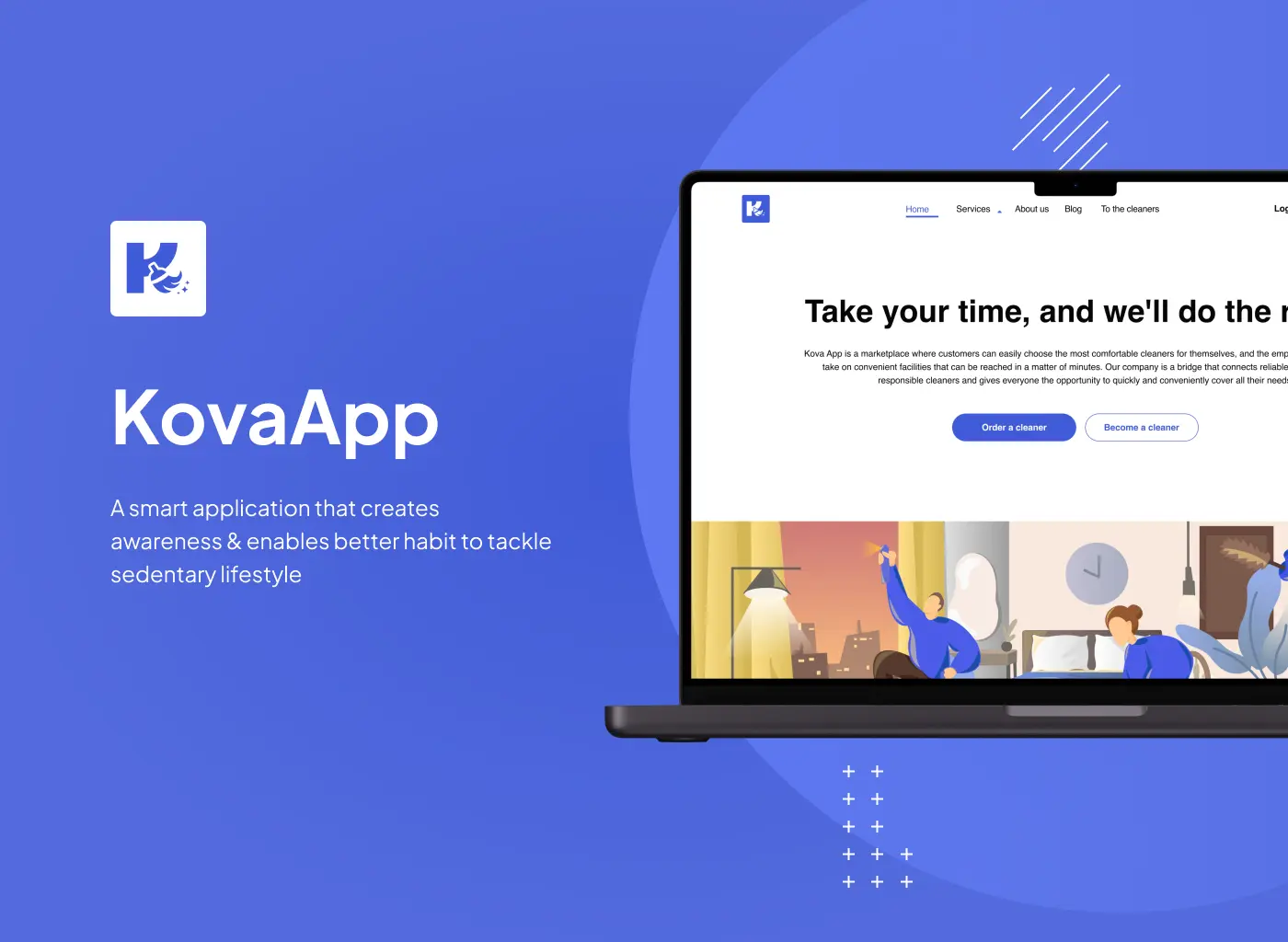
Marketplace / E-Commerce - 2023–2025
A marketplace where a customer books a home cleaning in a few taps, and a cleaner decides whether to take the job from a stranger's rating, job history and a short note - before either of them has said a word.
The problem
KovaApp connects people who need their home cleaned with independent cleaners who work through the platform. The usual marketplace instinct is to make booking as short as possible - but a short form gives the cleaner almost nothing to go on. They're deciding whether to let a stranger's job into their schedule, sometimes into a stranger's home, based on whatever the client bothered to type.
The brief covered three surfaces that had to agree with each other at all times: a client platform, a cleaner dashboard and an admin panel, all reading the same order, the same verification state, the same payment.
Approach
The palette stays to light blue and white on purpose - it reads as clean and unremarkable rather than decorative, which matters on a screen someone is filling out standing in their kitchen, not admiring. Illustrations show up only at decision points, where people tend to hesitate, as a small reassurance rather than a graphic flourish. One sans-serif family carries every weight, so nothing on screen has to compete with the order details it's sitting next to.
Not a flashy interface. A believable one.
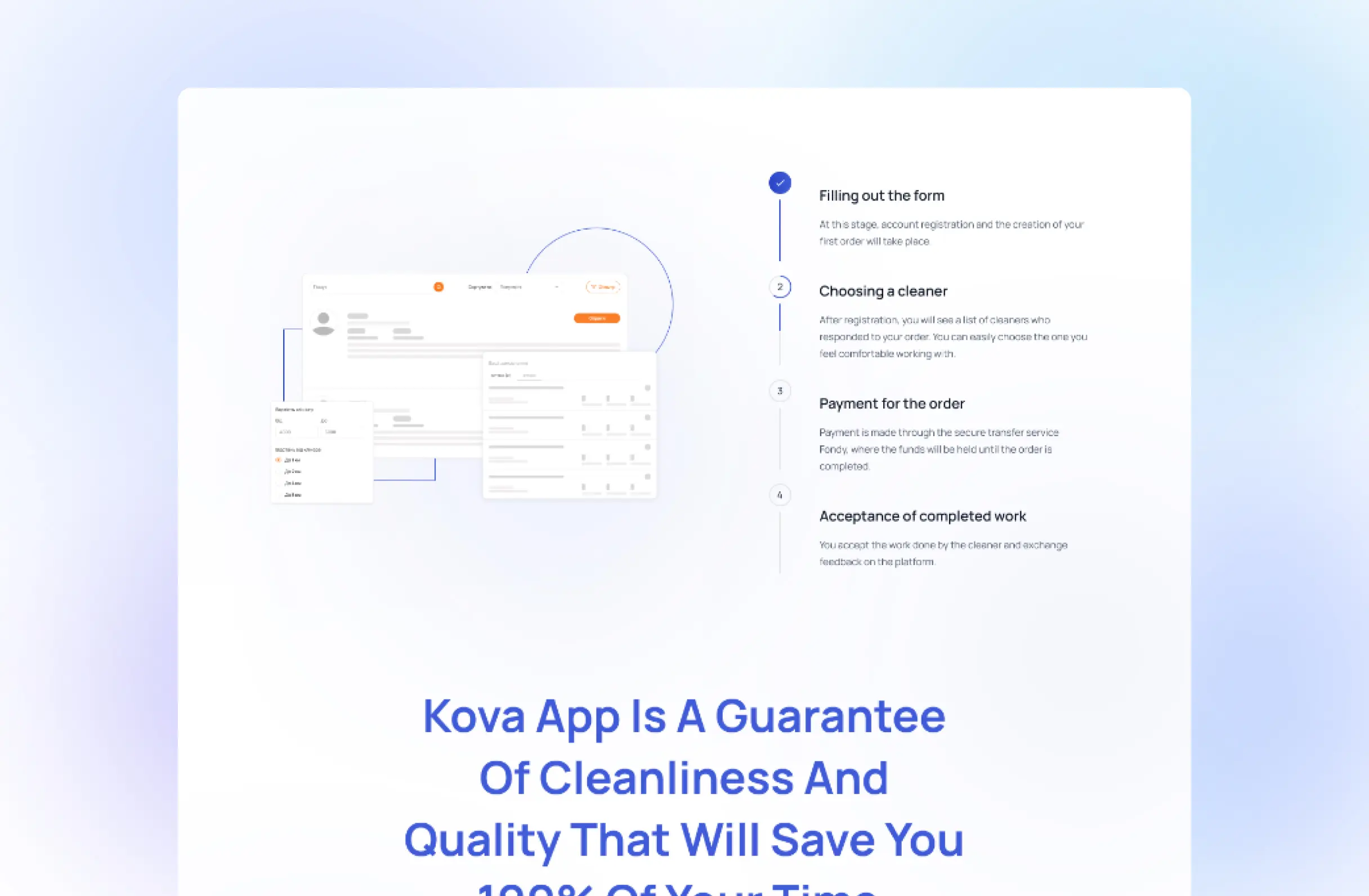
Client flow
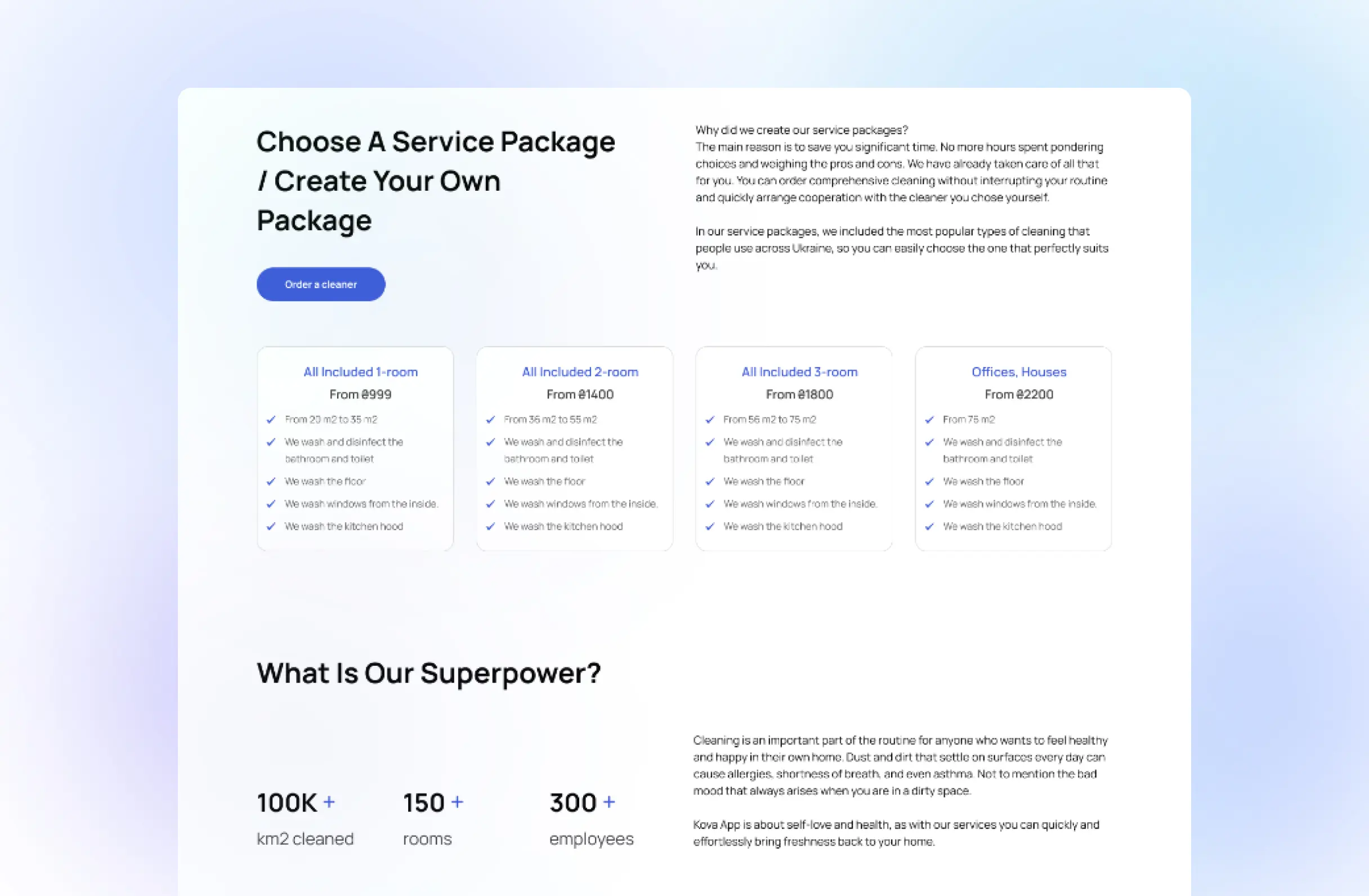
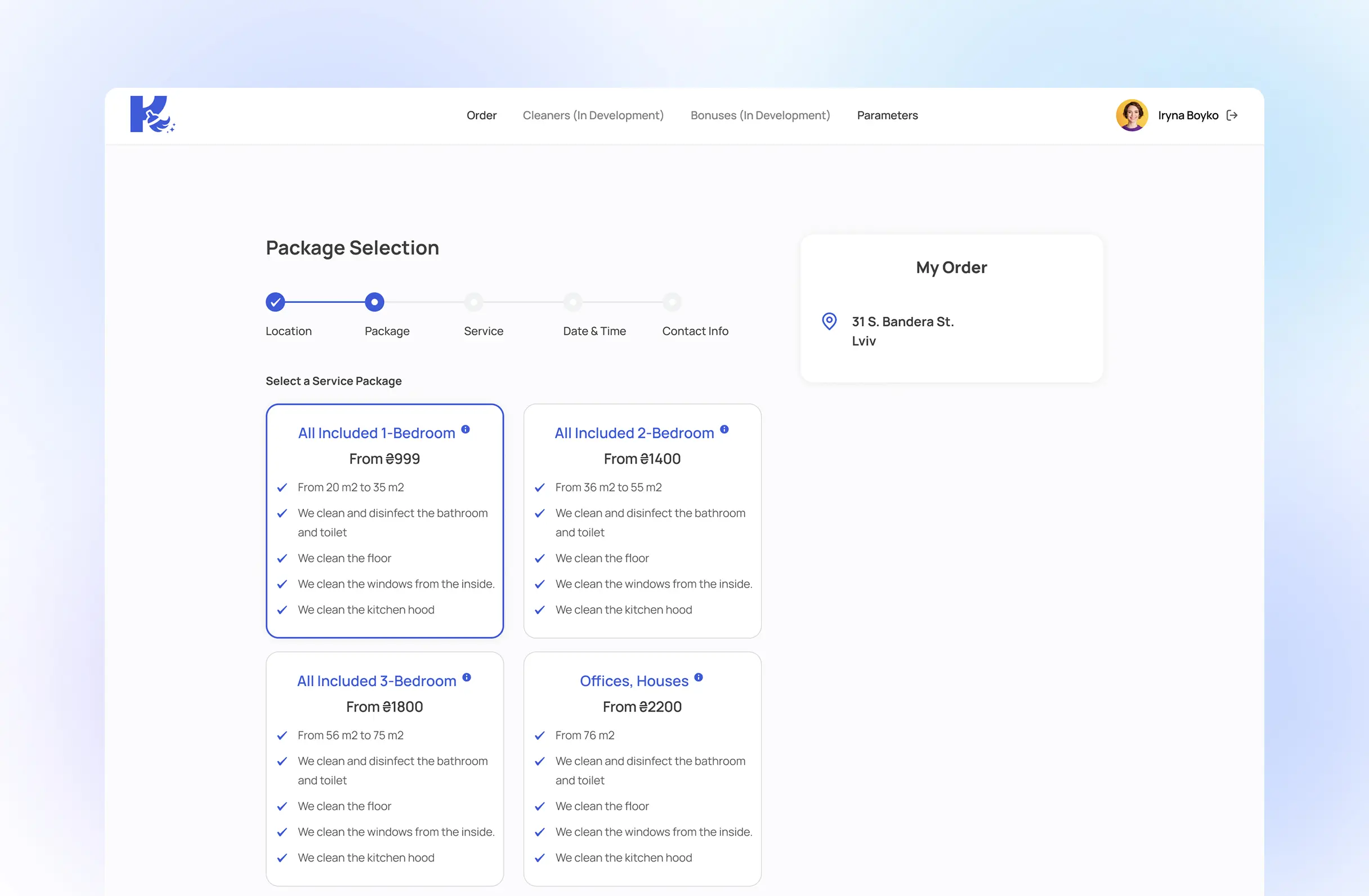
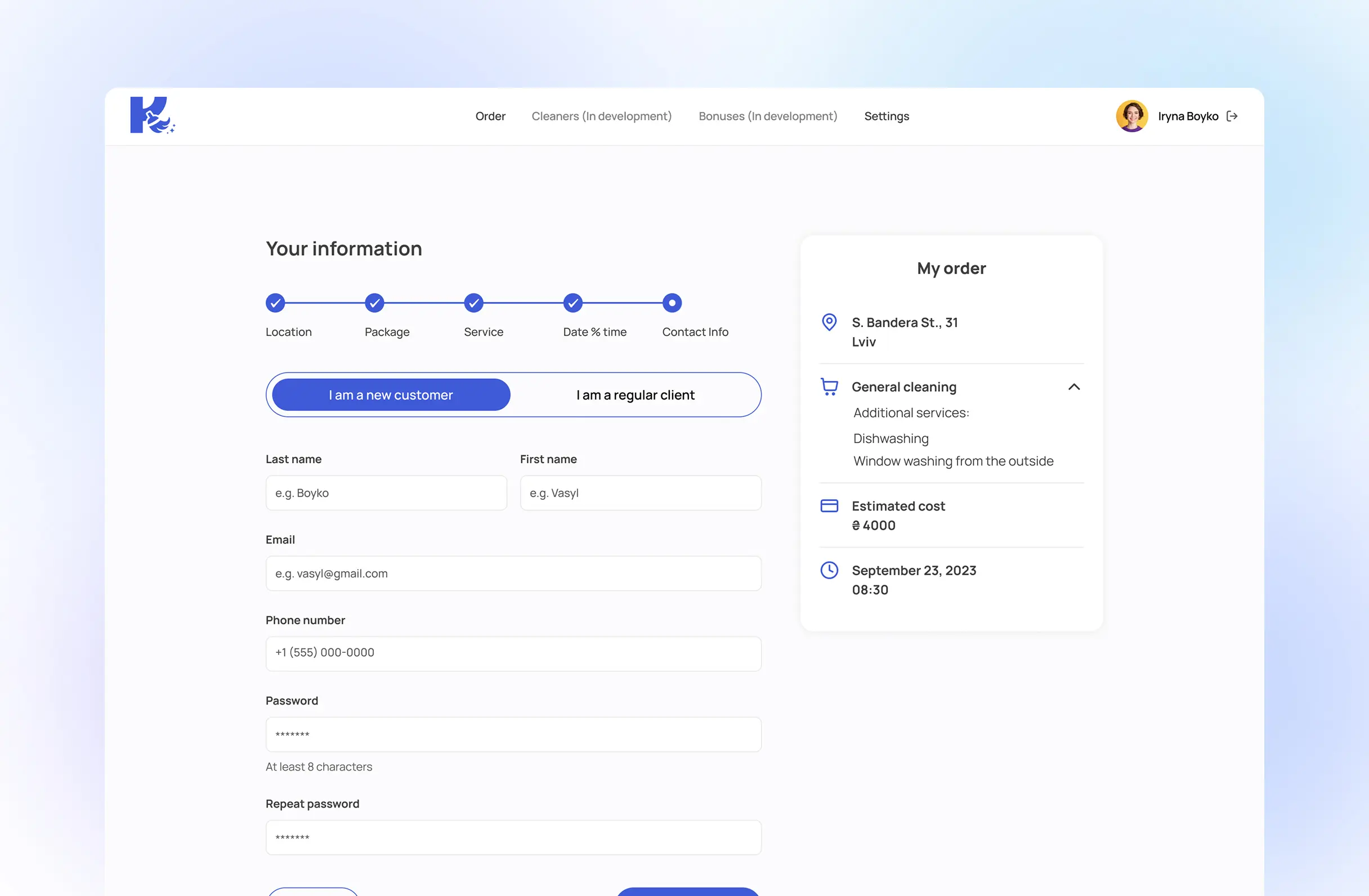
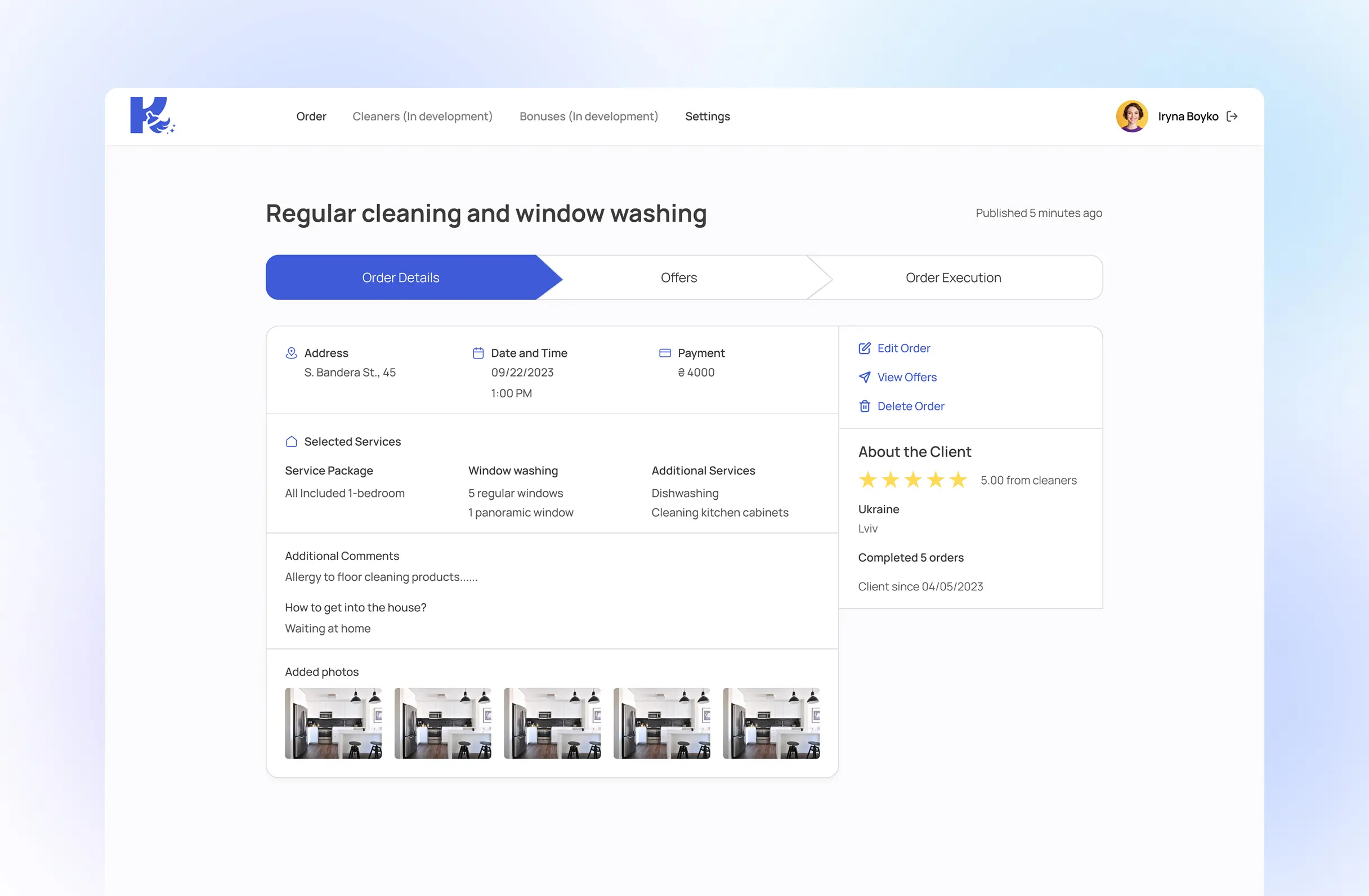
A client picks a package by room count, or builds a custom one from specific rooms, tasks and add-ons, with the price updating live as they choose. Submitting doesn't assign a cleaner - it publishes the request to every verified cleaner in the area, and the client waits for cleaners to apply to them, not the other way round.
Payment
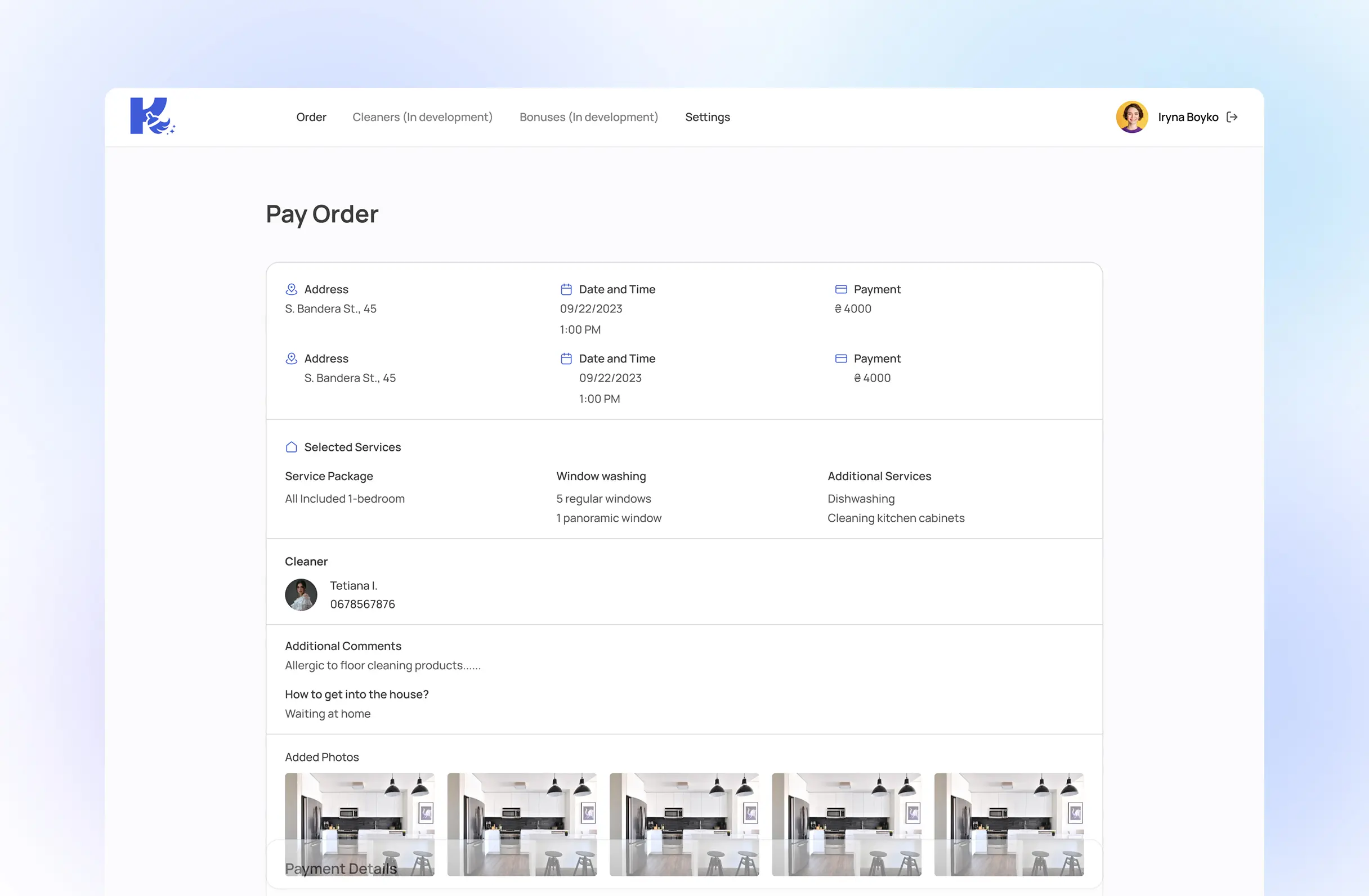
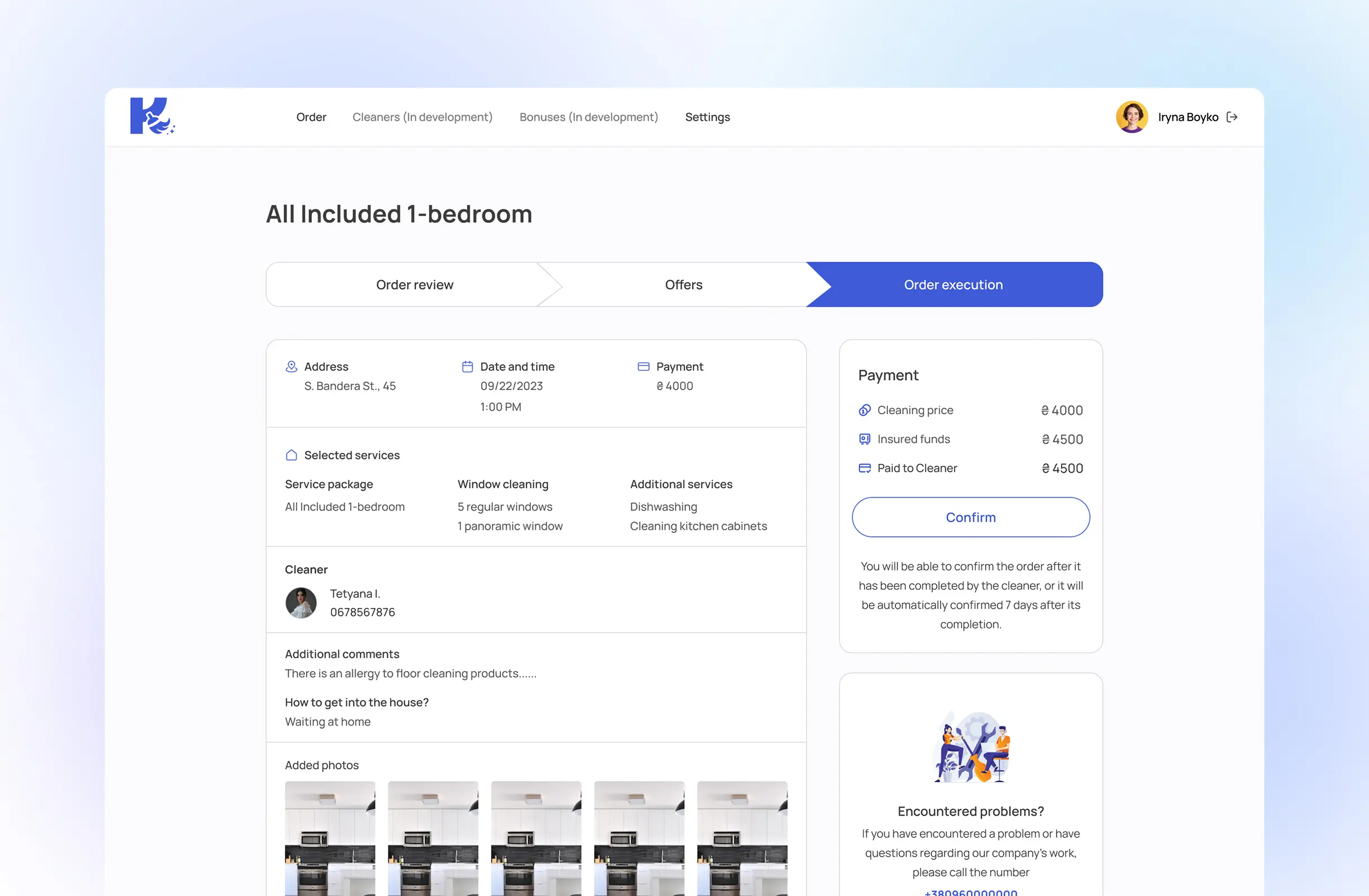
Once the client picks an applicant, the order moves to payment. The fee is held rather than paid out - it's released to the cleaner only once the client confirms the job is done, or automatically after seven days if they don't respond.
Cleaner flow
Government-issued ID and work-eligibility paperwork, uploaded from inside the app.
Booked through the same in-app calendar a client uses to pick a cleaning slot.
Show the documents on camera, talk through experience, answer screening questions.
Start receiving order notifications matched to the cleaner's own service area.
Admin panel
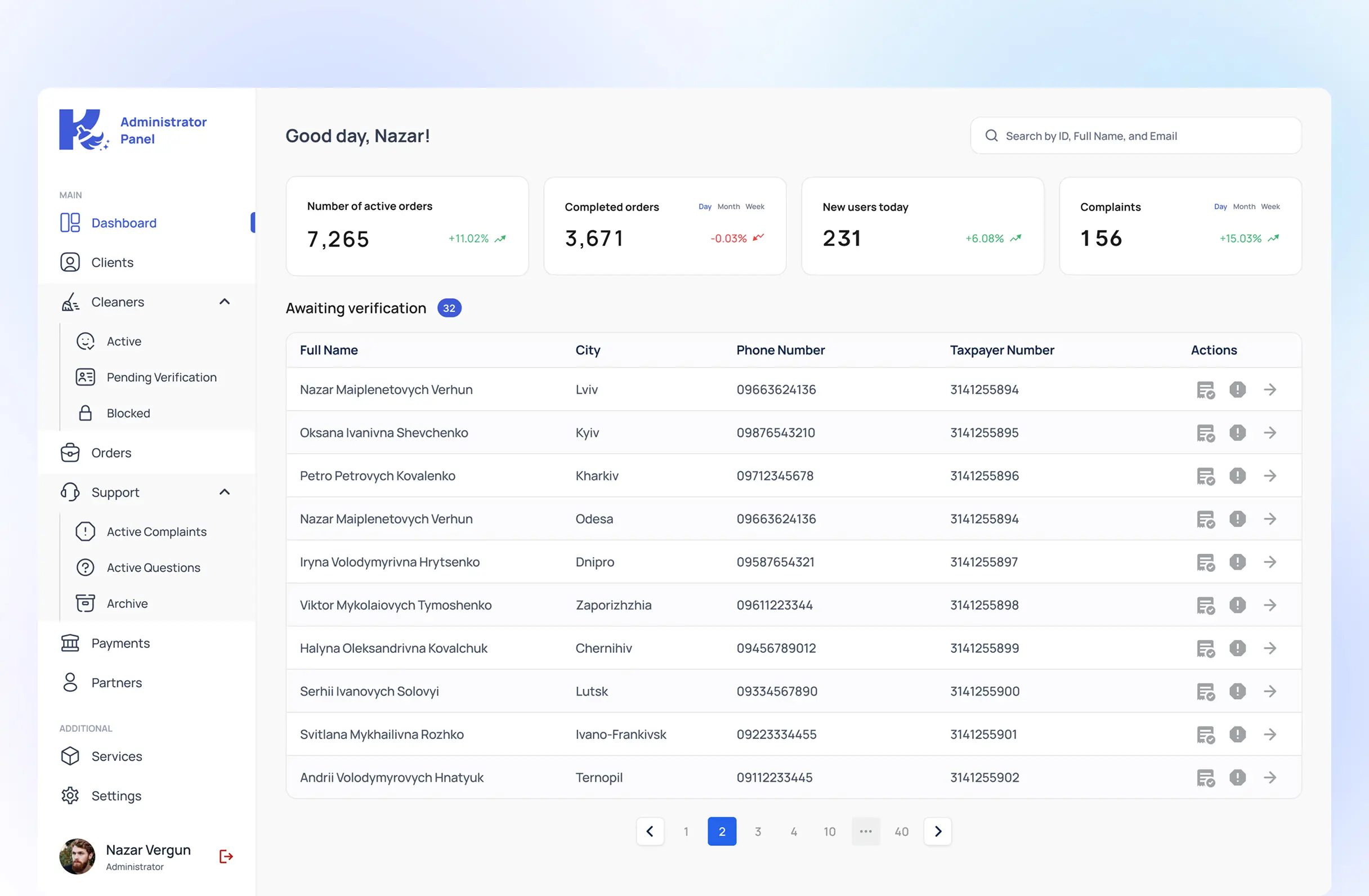
Every order, every verification request and every complaint funnels into one dashboard, built for support staff who aren't engineers. It surfaces active orders, completed orders, new users and open complaints as running counts, with the cleaner-verification queue underneath - one row per applicant, waiting on a document check.
Design decisions
Split ordering into fixed packages by room count, plus a separate custom builder, instead of one form for everyone.
Most bookings are simple and want speed - pick a package, done. A handful need control over specific rooms, tasks and add-ons. Forcing every client through one flow would slow the simple case down to serve the complicated one.
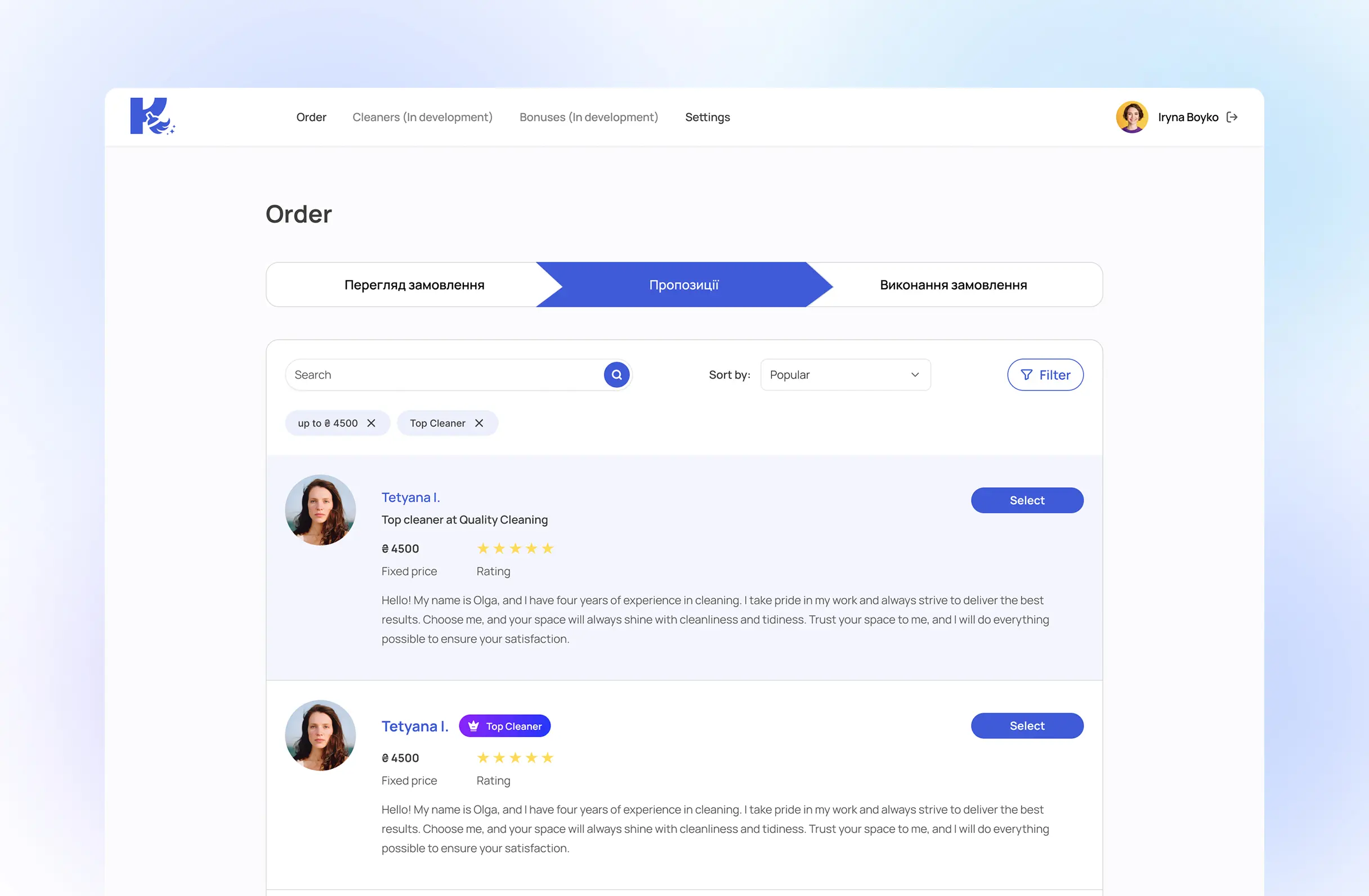
Put a cleaner's rating, and a personal note on every application, not just their price.
The client is deciding whether to let someone into their home. Price is the easiest thing to compare and the worst thing to decide on by itself, so every applicant card had to carry the signals people actually check first.
Held the payment until the client confirms the job, releasing it automatically after seven days either way.
A cleaner accepting a job from a stranger needs the payment to be guaranteed once the work is done, not dependent on the client remembering to release it. The seven-day fallback keeps that promise from depending on the client either.
Outcome
KovaApp is live in beta, with client–cleaner transactions running through it. The three surfaces share one backend and one verification and payment logic, which means a new service category - handyman work, gardening, beauty-at-home - can plug into the same marketplace mechanics instead of needing its own. Beta feedback is currently feeding into the v2 roadmap.