SaaS & Cloud Platforms - 2023–2025
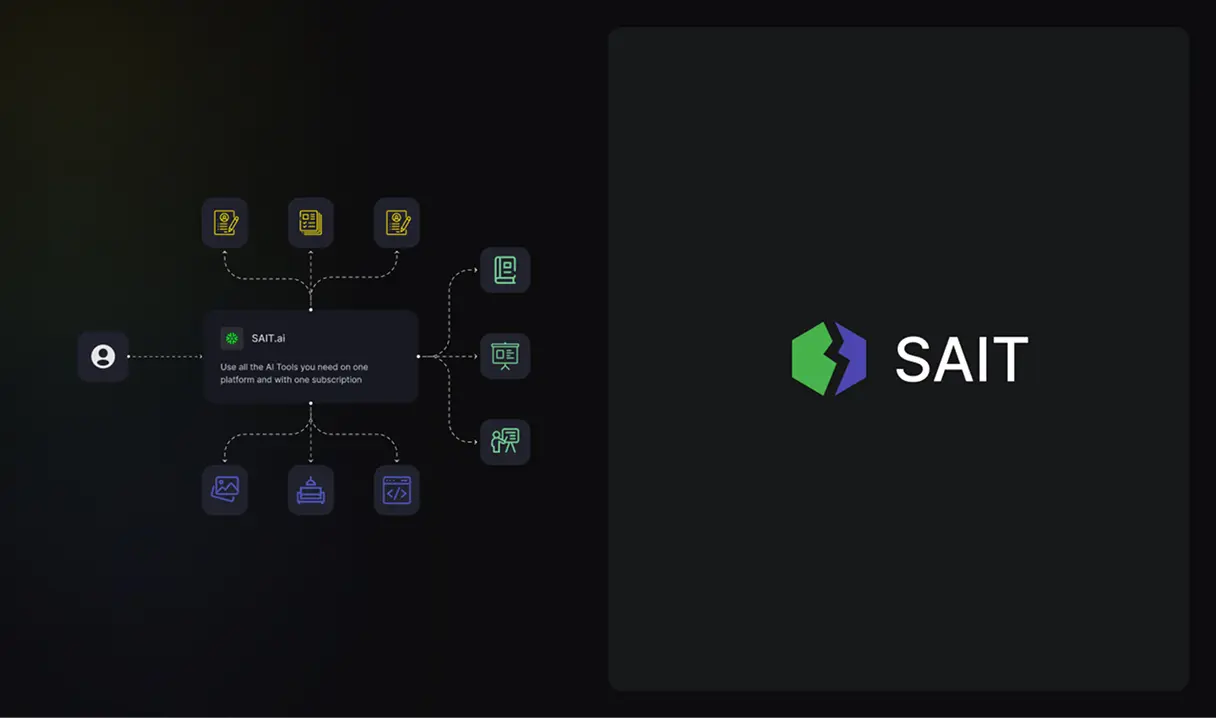
An AI platform that turns a CV, a content plan, a slide deck, and a website into one login instead of four separate tools.
The problem
SAIT set out to put CV writing, content planning, presentation design, graphics, and website building behind one AI account. Each generator produces a completely different kind of thing - a resume, a content calendar, a slide deck, a live website - for a different kind of user: a job seeker, a marketer, a founder with no design background. Getting all of them to feel like one product, instead of four demos stitched together, was the actual design problem.
CV Generator
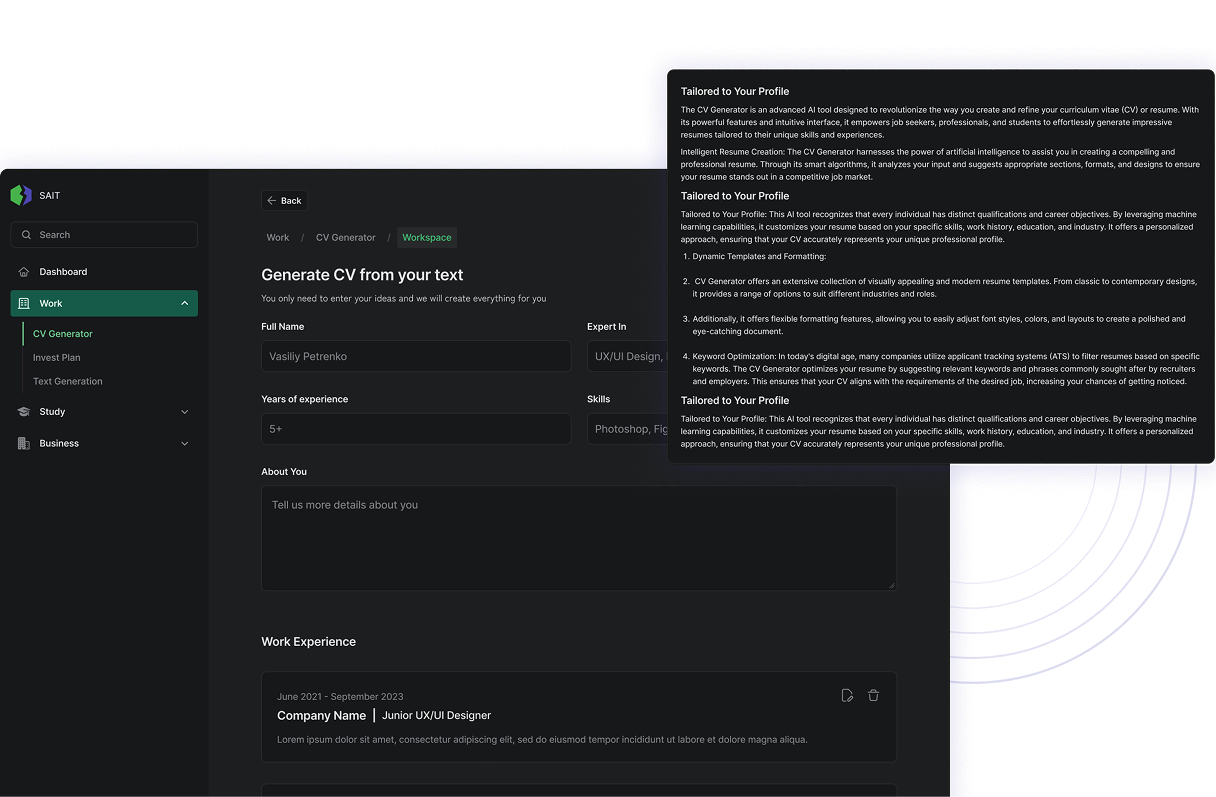
The user enters full name, years of experience, area of expertise, and skills, then adds work-experience entries one at a time - company, dates, title, and a short description. The panel on the right stays visible while filling the form and explains, in plain language, how the output will be built: templates chosen for the industry, formatting kept consistent, and keywords worked in that applicant-tracking systems tend to filter on.
Content Plan
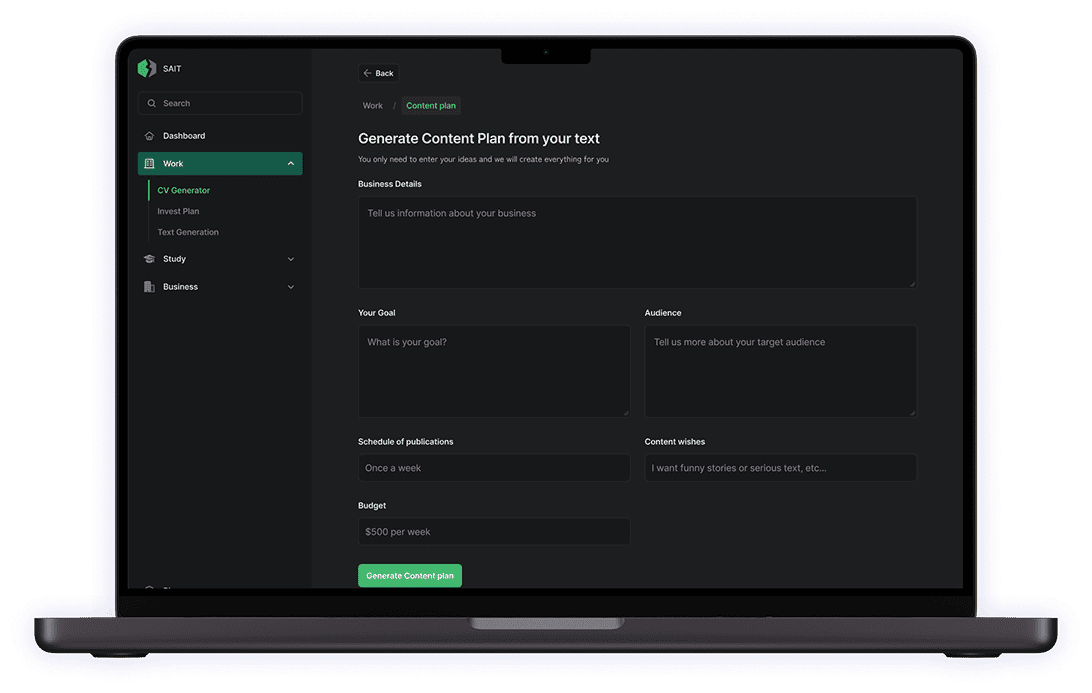
Instead of a blank calendar, the user answers six short prompts: what the business does, what the goal is, who the audience is, how often to publish, what tone the content should take, and a weekly budget. "Generate Content Plan" turns those six answers into a schedule - the same information a strategist would ask for in a briefing call, just typed into fields instead of said out loud.
Presentations
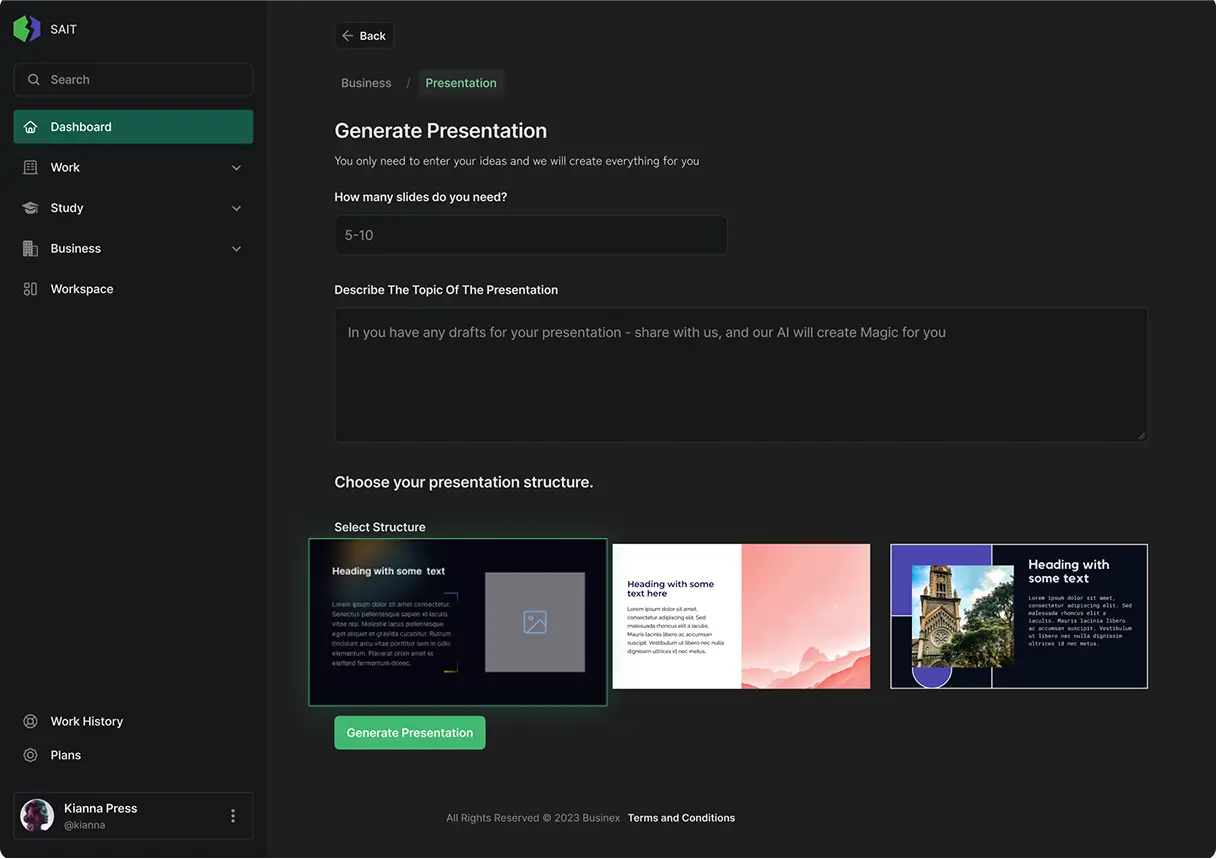
The presentation tool asks for two things up front - how many slides (a range like 5–10) and a description of the topic - then hands over a choice of three visual structures before anything gets generated: a dark text-and-image layout, a warm gradient layout, and a photo-led layout with an overlaid heading. Picking a structure before generation means the AI is filling a shape the user already approved, not guessing at one.
Approach
I designed a single generation pattern and used it for every tool: describe what you need in a short form, choose from AI-suggested structures, get a result you can still edit. A recruiter filling in CV fields and a founder describing their business for a website are answering completely different questions, but both move through the same three steps to get there.
Learn the flow once. Every generator on the platform follows it.
Website builder
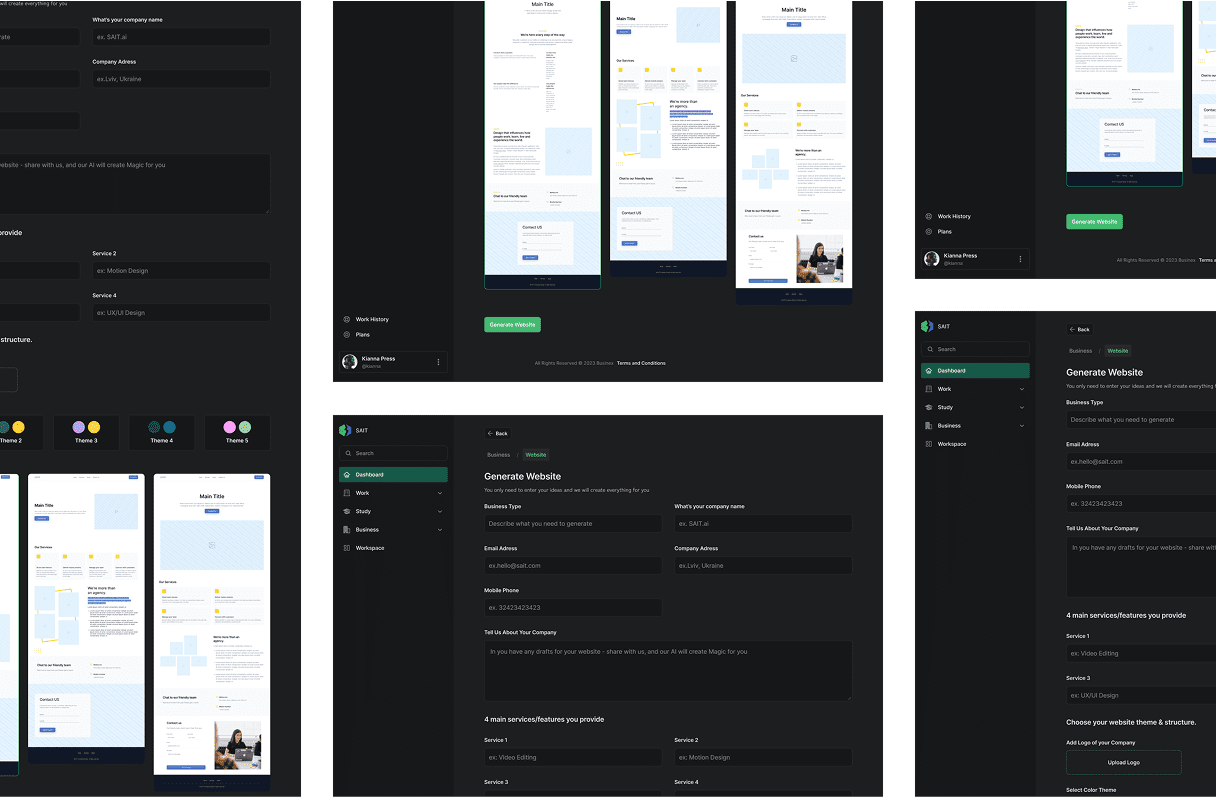
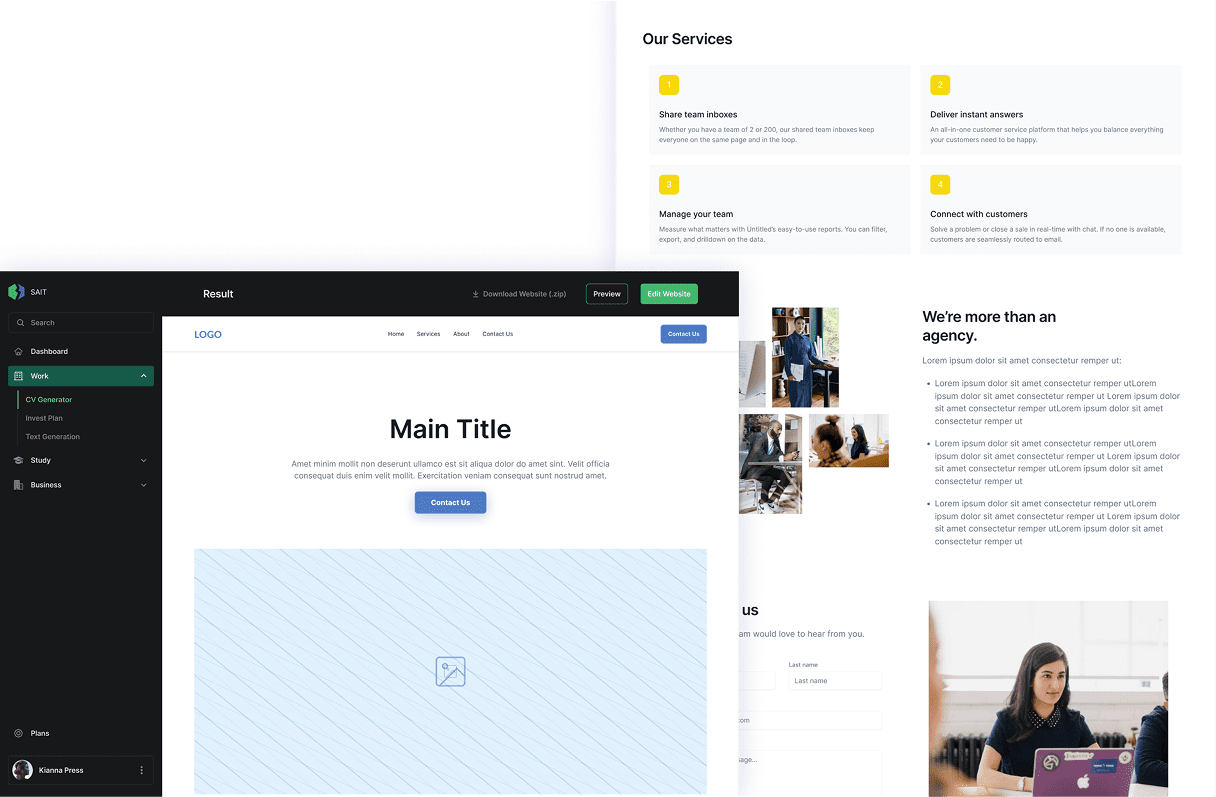
This is the pattern at its fullest. The user enters business type, company name, address, up to four core services, and a free-text description of what the company does, then picks a color theme and uploads a logo. "Generate Website" produces a full multi-page site - hero, services, about, contact form - laid out in the chosen theme, shown at both desktop and mobile widths before anything is final.
Plans
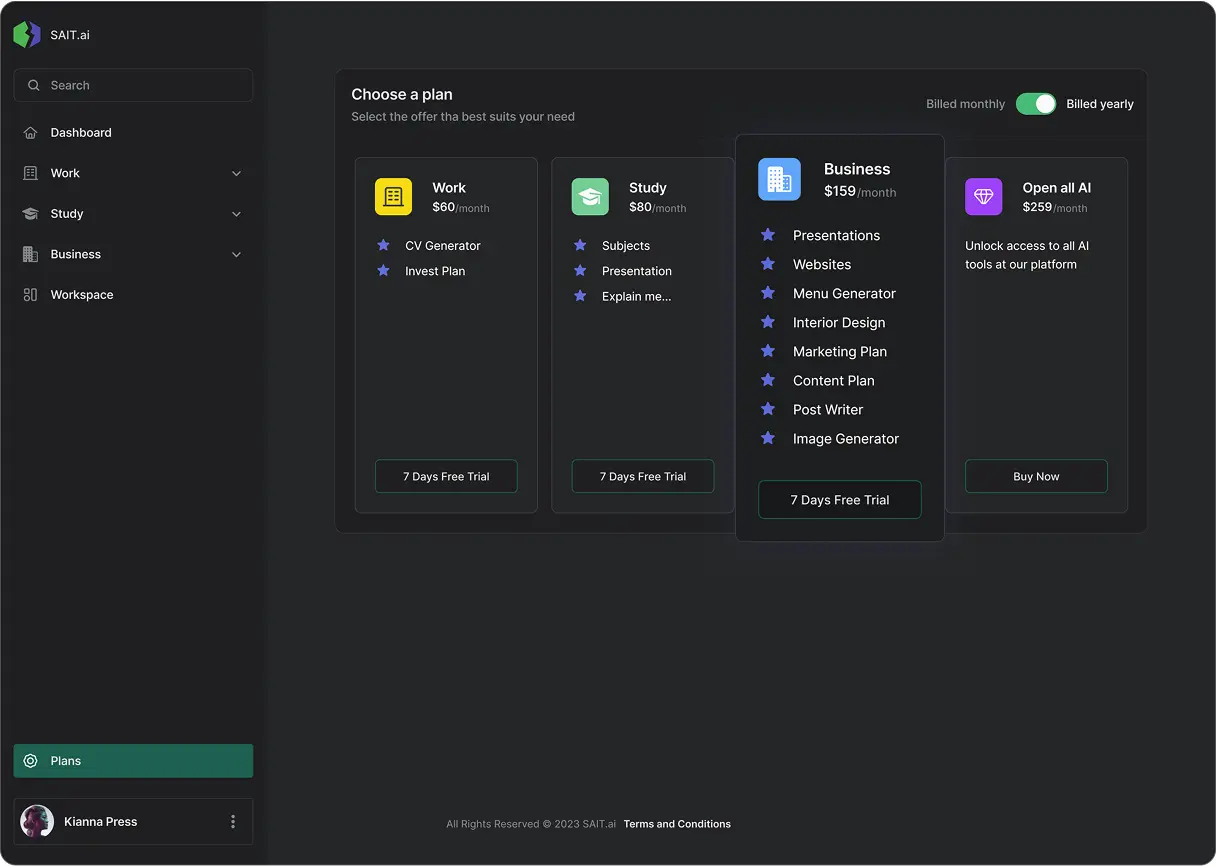
Four tiers, split by role rather than by how many tools are unlocked: Work ($60/month) covers the CV Generator and an invest plan; Study ($80/month) covers subjects, presentation help, and an "explain me" tool; Business ($159/month) covers presentations, websites, a menu generator, interior design, marketing and content plans, post writing, and image generation; "Open all AI" ($259/month) unlocks everything. Each plan gets a seven-day free trial except the top tier, which is a straight purchase.
Process
Mapped where AI could remove friction across CV writing, content planning, presentations, and site-building for different kinds of users.
Built a modular system so five very different generation flows could share one interface language and one codebase underneath.
Designed and shipped each tool - CV, content plan, presentations, graphics, website builder - as its own module inside the same shell.
Tuned the AI compute pipeline and strengthened data security once every generator was live and carrying real usage.
Design decisions
One generation pattern - describe, pick a structure, get an editable result - reused across the CV, content plan, presentation, and website tools.
Five outputs with nothing in common still had to feel like one product. A repeatable shape means learning the CV flow once means already knowing how to use the website builder.
Every result screen ships with download and edit, not just a locked preview - "Download Website (.zip)," "Edit Website," and "Preview" sit right next to each other.
An AI-generated first draft is a starting point, not a final deliverable. Letting people take the raw file and leave, or keep refining it inside SAIT, is what makes trusting the AI's output feel low-risk.
Pricing split into role-based tiers - Work, Study, Business, and an "Open all AI" plan - instead of one flat subscription.
A student who needs a subjects explainer and a presentation generator has no use for a business's menu generator or interior-design tool. Tiering by who's using it, not by feature count, keeps the platform from feeling like an oversized grab-bag.
Outcome
SAIT shipped as a working multi-surface platform - CV generation, content planning, presentation design, graphics, and a website builder, all under one account and one interface system. The shared pattern was refined with each generator that went live, so the fifth tool cost far less to design than the first.