
SaaS, startup accelerators - 2023–2025
A SaaS platform for startup accelerators - a checklist a founder can move through stage by stage, and a dashboard that shows a programme manager where every startup in the cohort actually stands.
The problem
An accelerator runs many startups through the same stages at once - apply, get accepted, upload a profile, book calls, finish tasks, add integrations, graduate. A founder only needs to know their own next step. A programme manager needs to see all of them side by side, at whatever stage each one is stuck on.
The brief covered both sides of that desk: a startup panel for founders and an admin dashboard for the people running the programme, sharing the same underlying data.
Approach
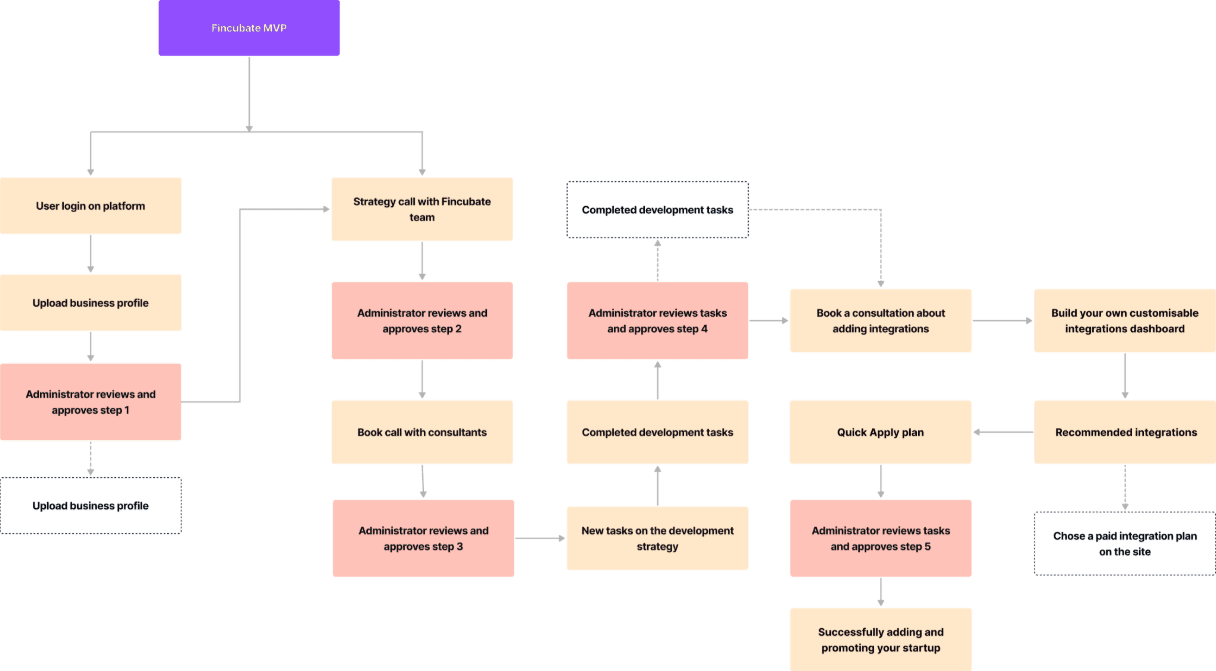
I opened with discovery workshops on how accelerator programmes actually run, then mapped two separate user flows - one for the founder moving through the programme, one for the administrator approving each step - before any interface work started. Working in an agile rhythm with the engineering team, I designed the founder panel and the admin dashboard side by side, on one design system and one API, with CRM integration, marketing automation and progress tracking built in underneath both.
Same programme data. Read as a checklist by one person, a table by the other.
Founder panel
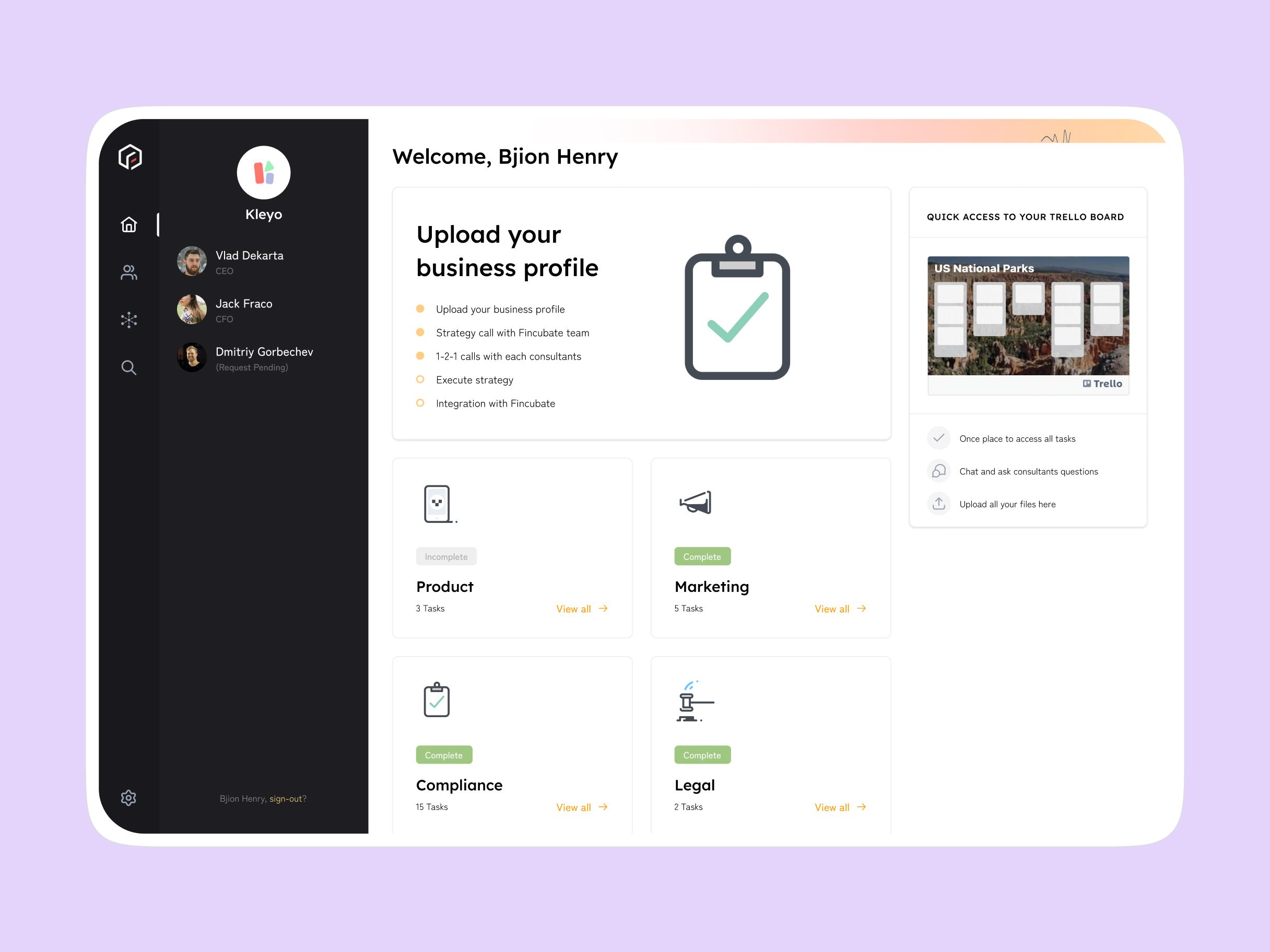
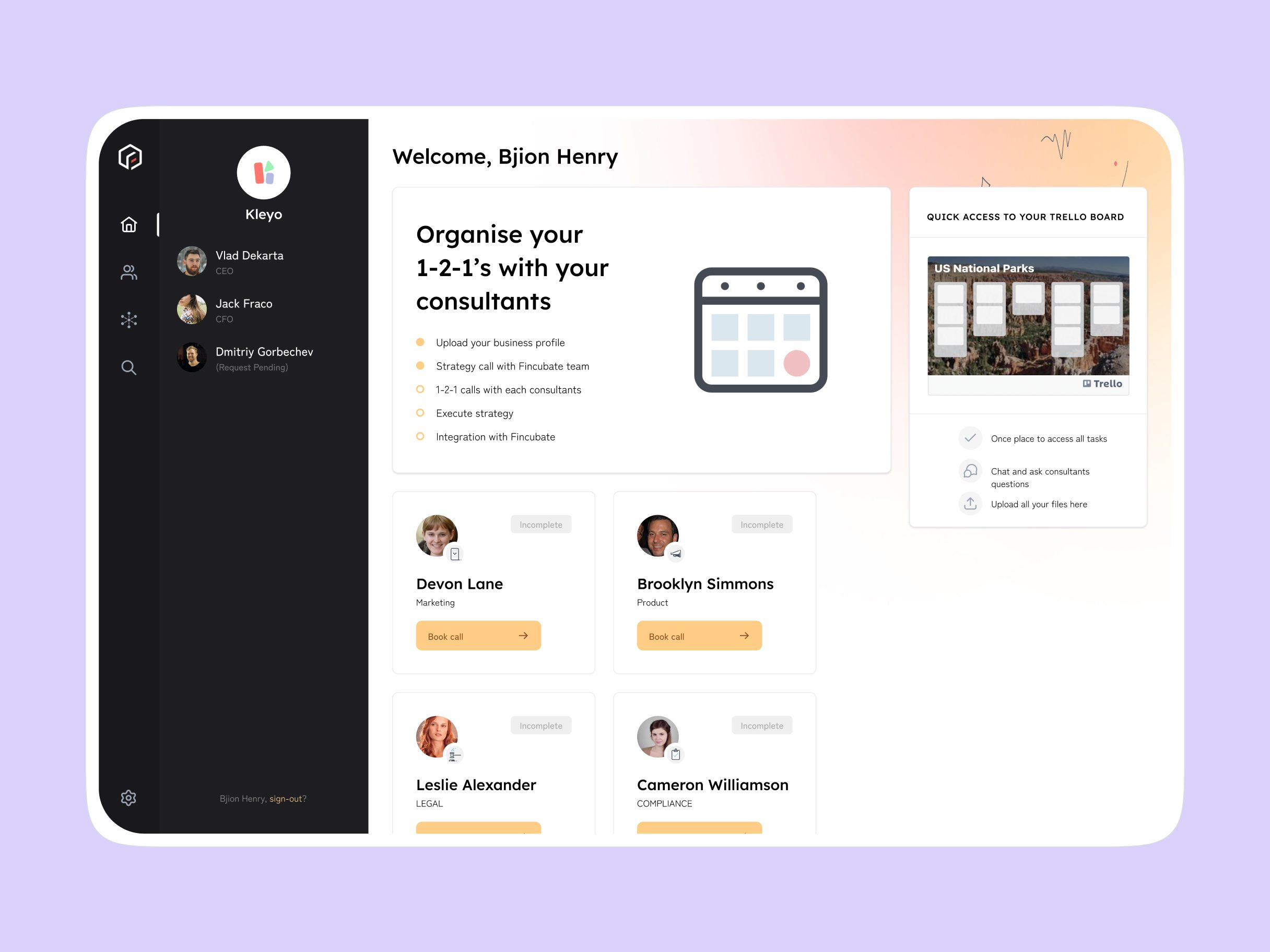
A founder signs in to a five-item checklist - upload a business profile, have a strategy call, book 1-2-1s with consultants, execute the strategy, connect an integration - with the current step highlighted and the rest marked complete or pending. Underneath it, tasks split into categories - Product, Marketing, Compliance, Legal - each showing a task count and whether the category is done, with a linked Trello board a tap away.
Founder panel
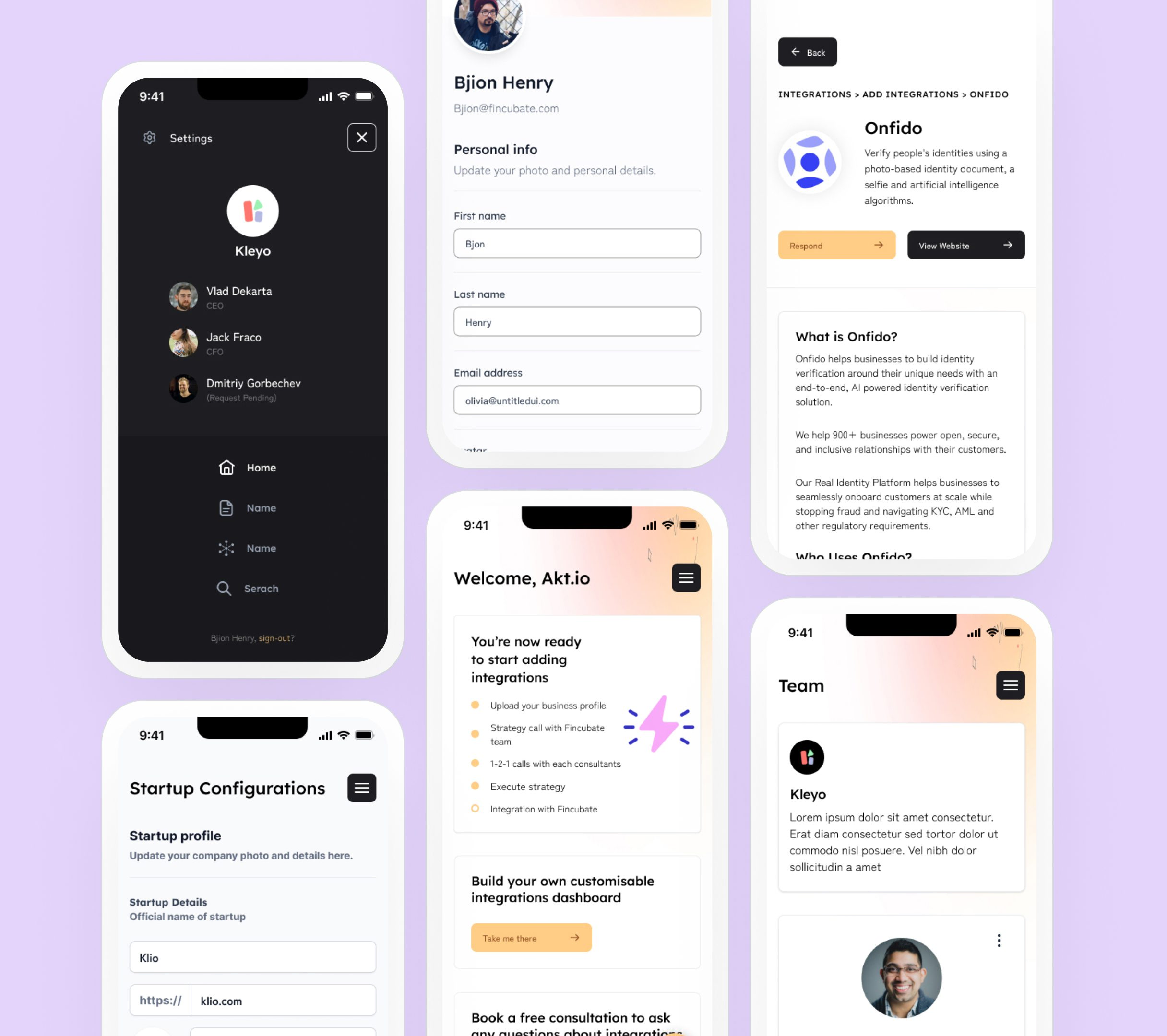
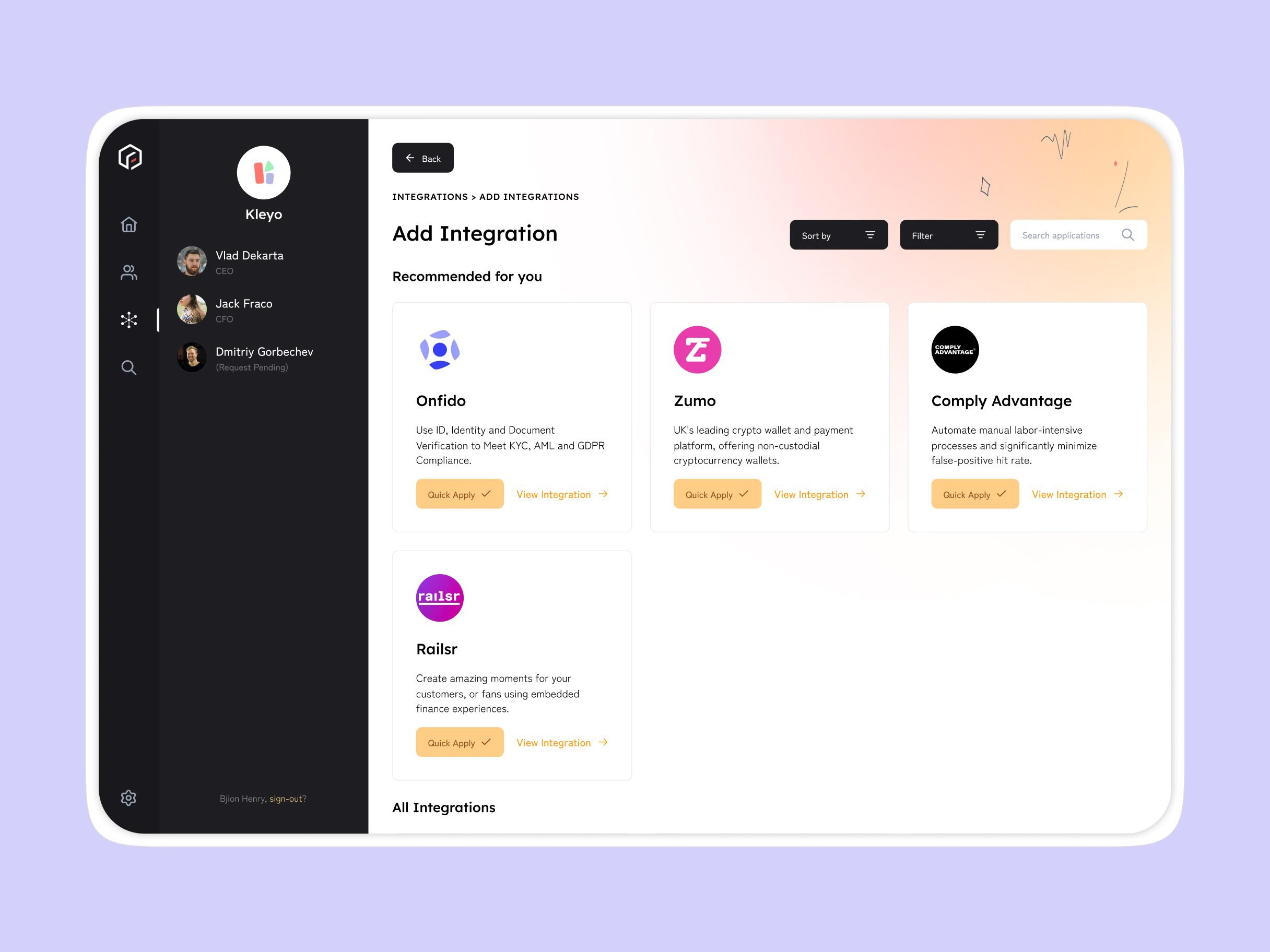
The "1-2-1 calls" step opens a list of consultants by department - marketing, product, legal, compliance - each with a Book call button. The integrations step works the same way: recommended vendors like Onfido, Comply Advantage, Zumo and Railsr sit right there for identity verification, compliance automation and embedded finance, with Quick Apply next to each one.
Founder panel
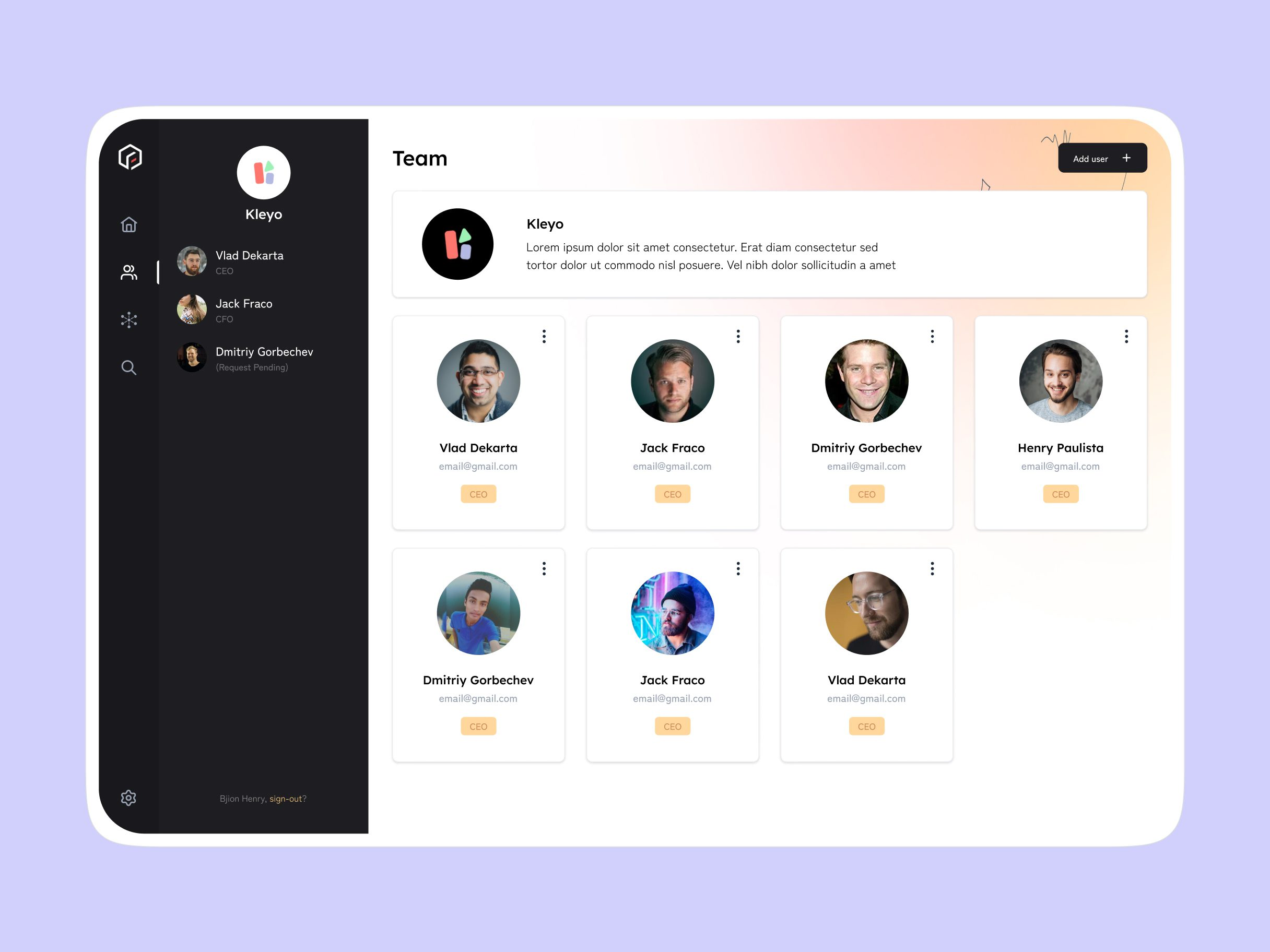
A Team screen lists everyone attached to the startup's account, their role and email, with an Add user button for founders who need to bring in a co-founder or advisor mid-programme.
Process
Workshops on how accelerator programmes run day to day, for founders and for the staff running them.
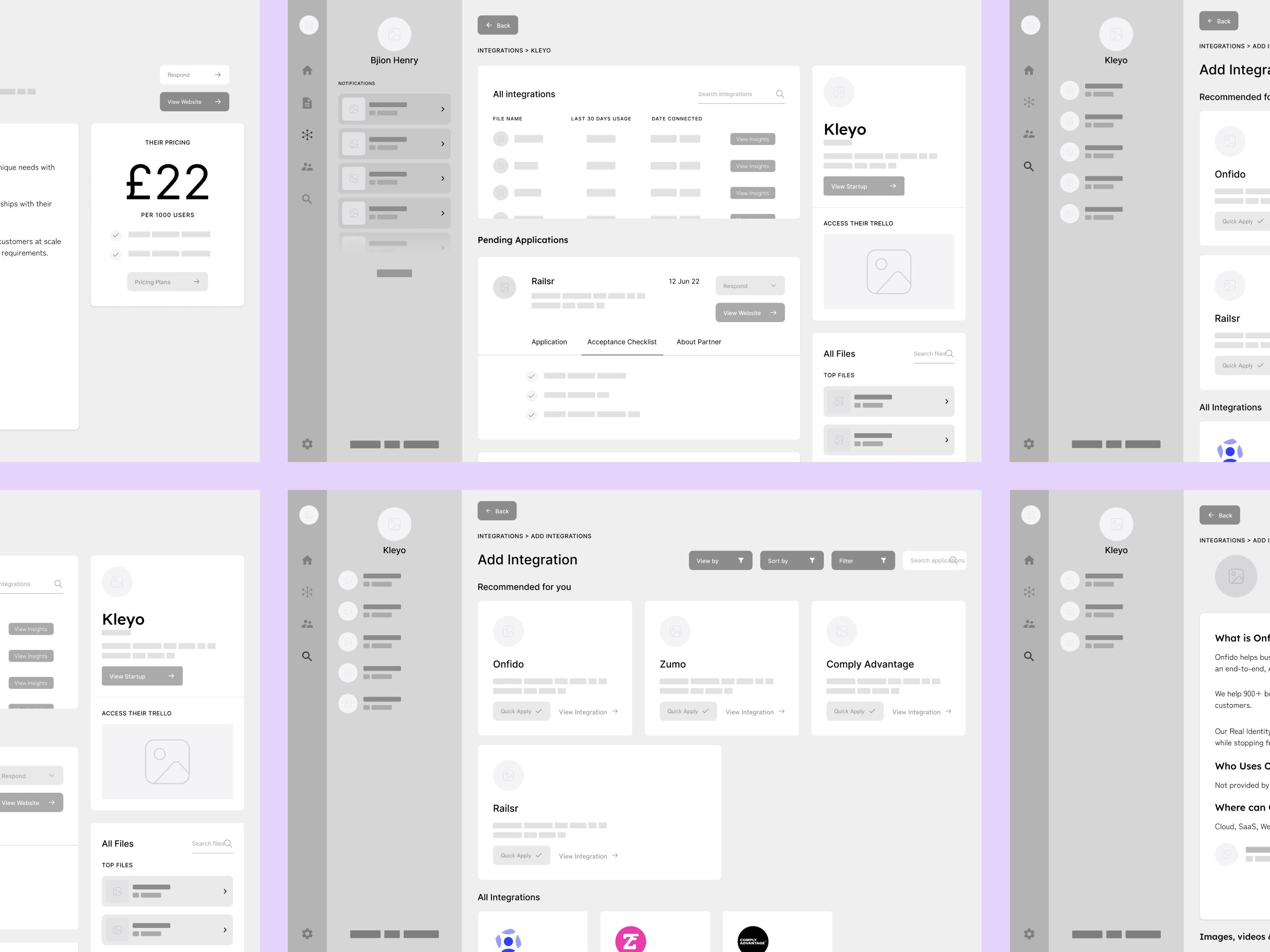
Mapped the founder's flow and the administrator's approval flow separately, stage by stage, before any screens.
Designed the founder panel and admin dashboard side by side, on one shared design system.
Built in an agile rhythm with engineering - CRM integration, marketing automation, progress tracking - with regular client feedback.
Design decisions
Gated every step in the founder's flow behind an administrator's approval, instead of letting founders self-advance.
The mapped flow puts a review-and-approve step after the profile upload, the strategy call, the consultant calls and the integrations step. The programme's actual pace stays tied to a person confirming it, not a checkbox a founder ticks alone.
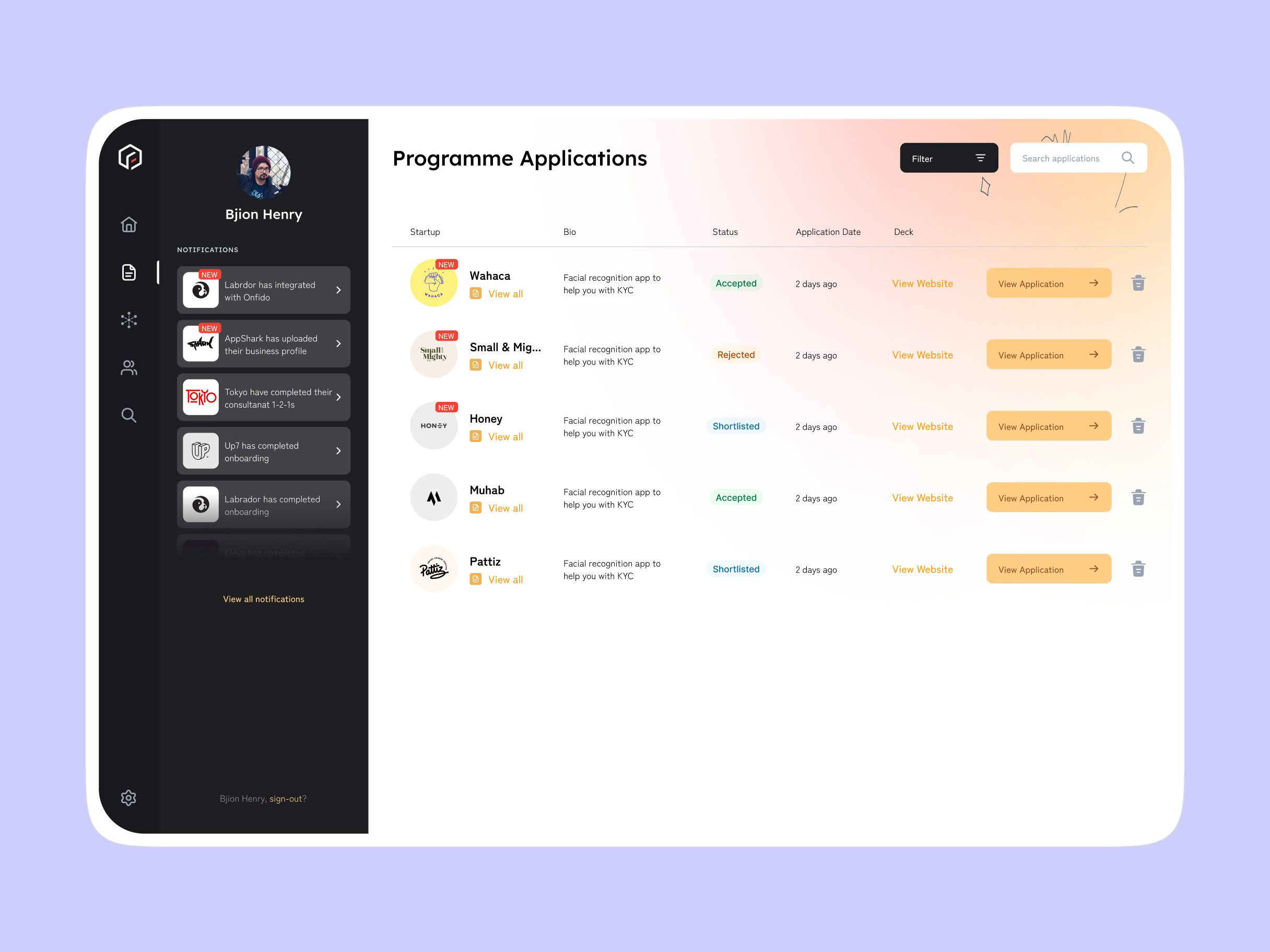
Gave founders a checklist with one step highlighted, and gave staff a table with every startup's stage as a row.
The same stage data has to answer two different questions - "what do I do next" for one person, "who's stuck and where" for someone tracking twenty of them at once. A checklist answers the first; a table with a stage column answers the second.
Put the fintech-specific vendors - Onfido, Comply Advantage, Zumo, Railsr - inside the founder's own integrations step, not a generic settings menu.
A startup working through a KYC or AML task needs an identity-verification vendor at that exact step, not three menus over. Keeping the task and the tool that completes it on the same screen is what the Add Integration step is for.
Staff dashboard
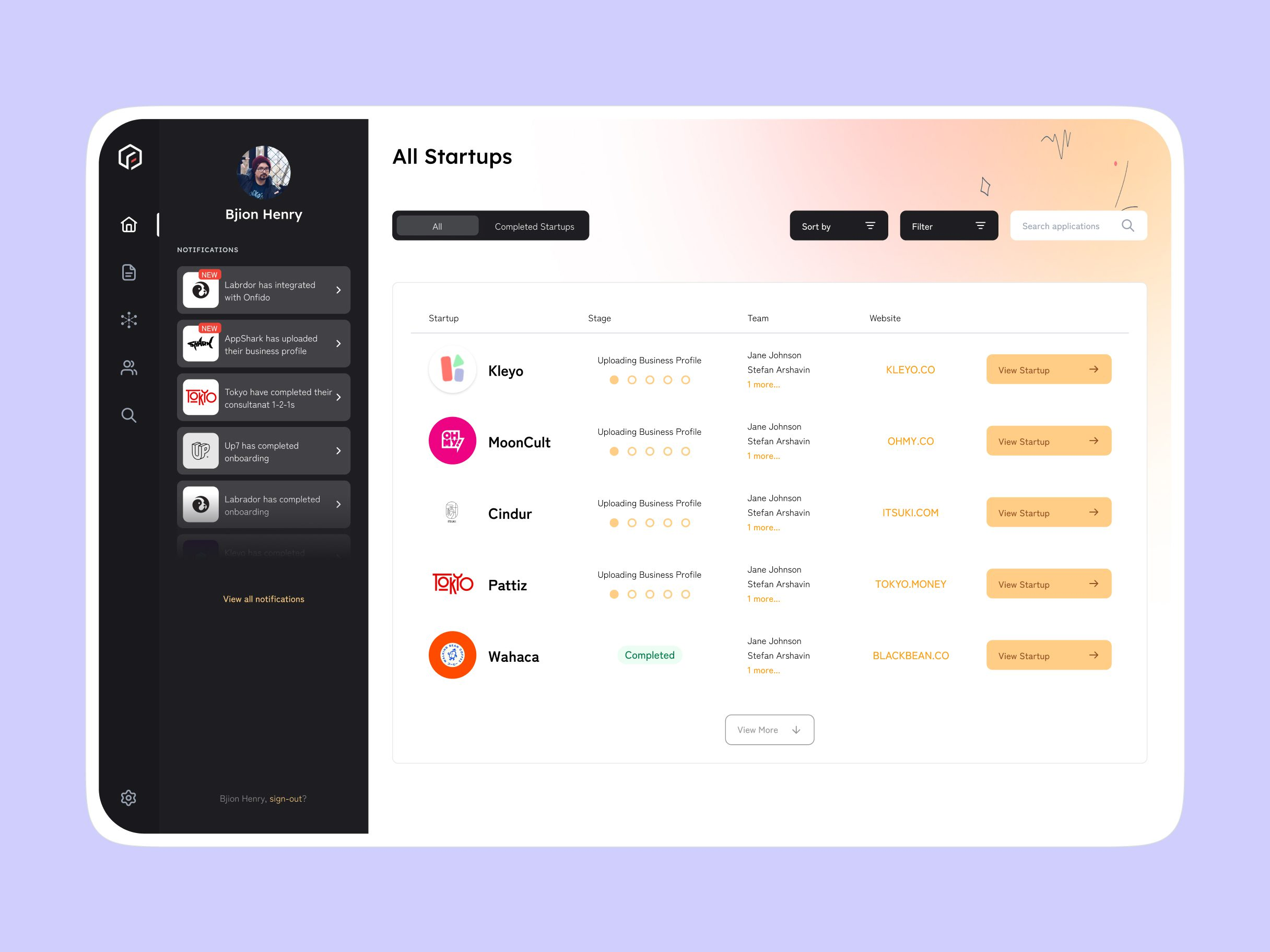
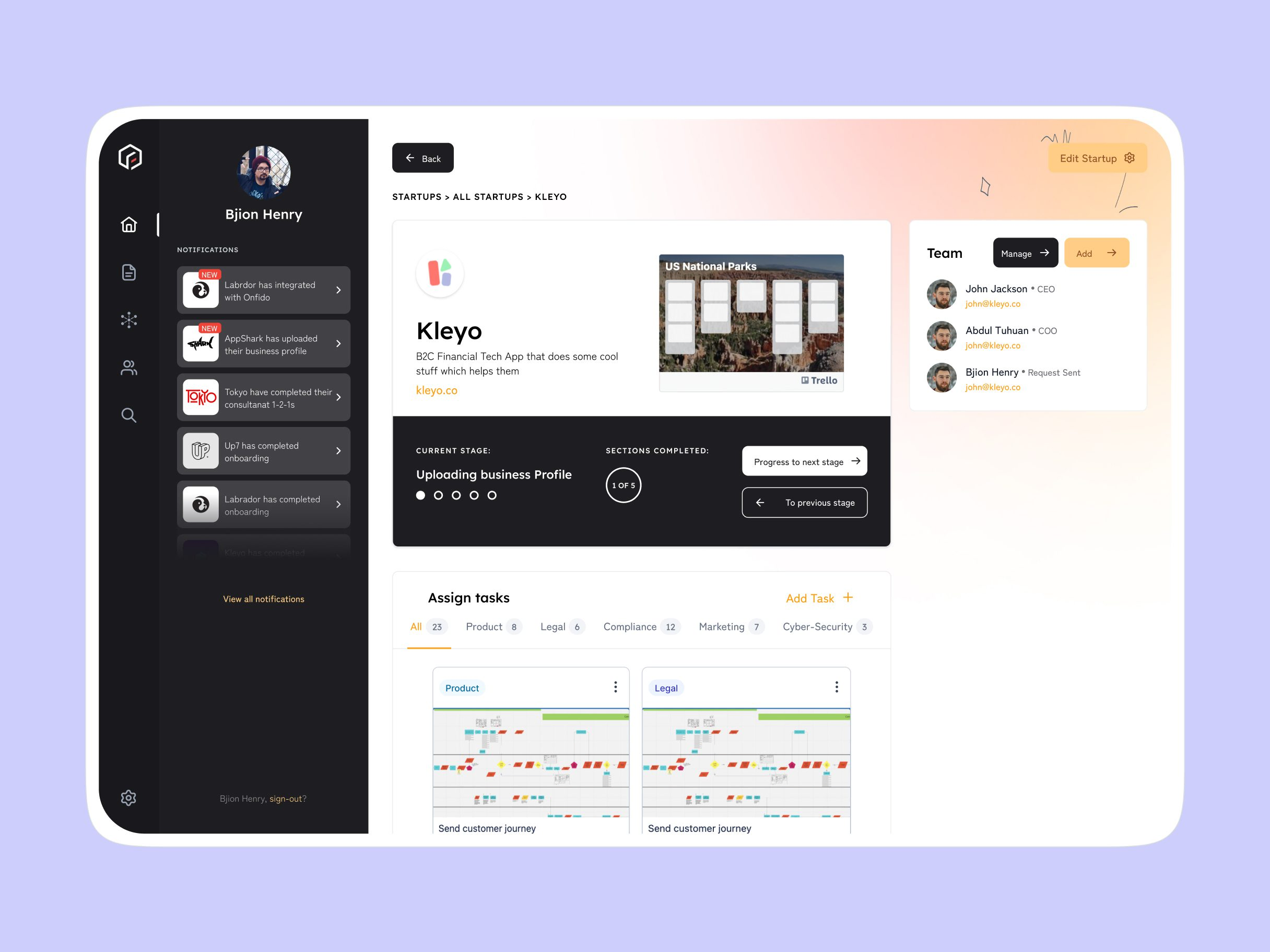
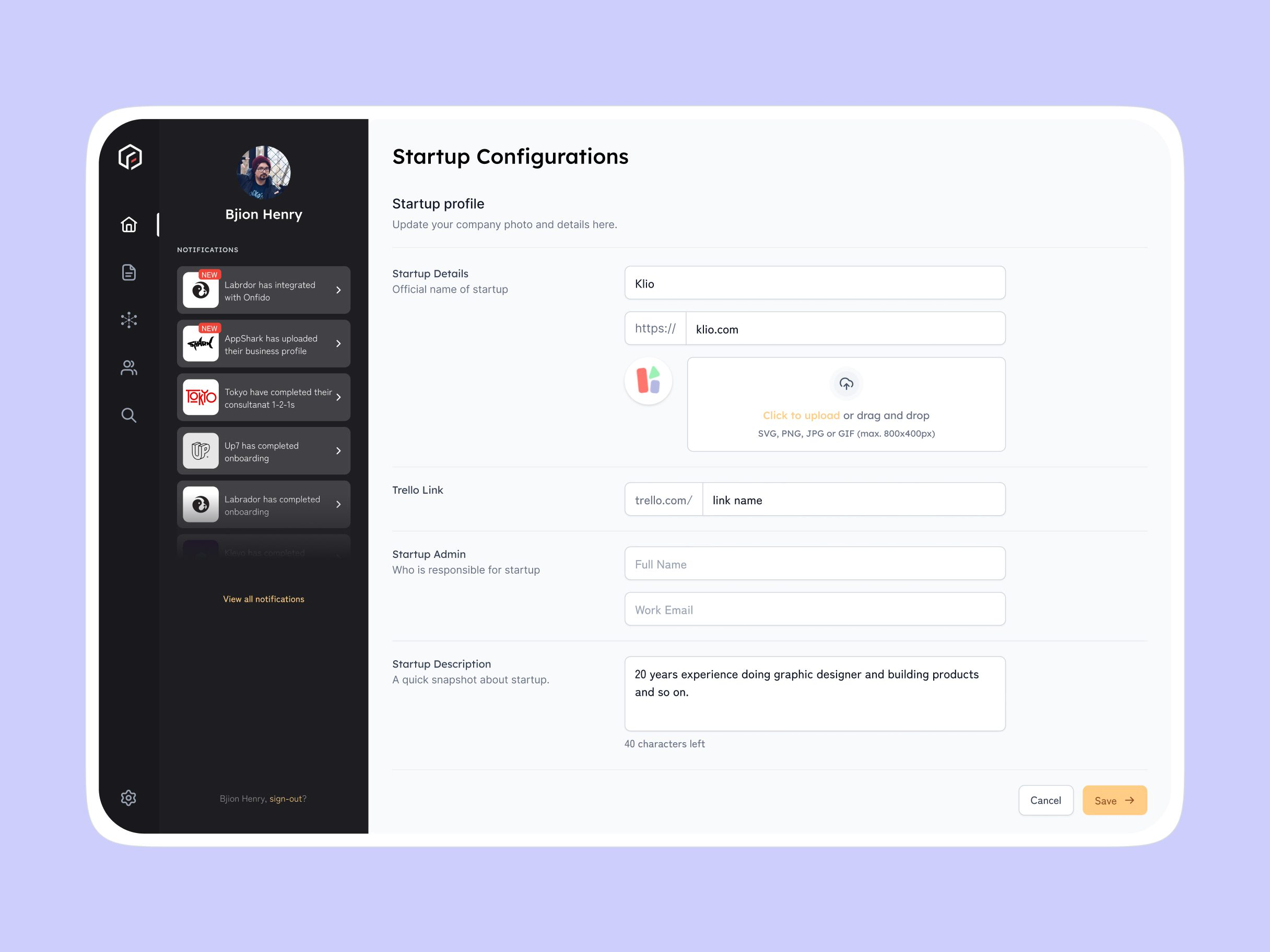
The admin dashboard opens on that table - every startup's name, stage, assigned team and website, with a notifications feed of what just happened across the cohort. A separate Programme Applications table tracks the pipeline before startups are even accepted, with each one marked Accepted, Rejected or Shortlisted.
Outcome
What shipped is a founder panel and an admin dashboard that read the same underlying programme data two different ways - a five-step checklist for someone moving through it, a stage-by-stage table for someone running a cohort of startups through it at once, both built on one design system and one API, with CRM integration, marketing automation and progress tracking running underneath.